


Invoice Maker - InvoiceBase
4.9669.00 Reviews
App Specs
- Version
- 1.02.70.0811
- Updated On
- License
- Free
- Downloads
- 1,000,000+
- Developer
- Gulooloo Tech Co., Ltd.
- Categories
- Business
- Platform
- Android, iOS
Screenshots
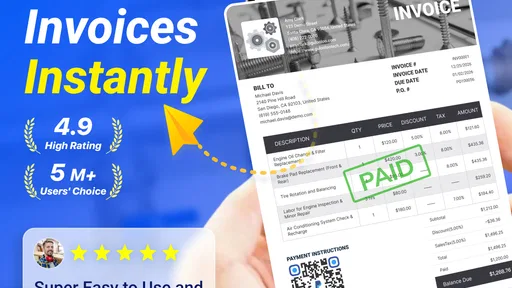
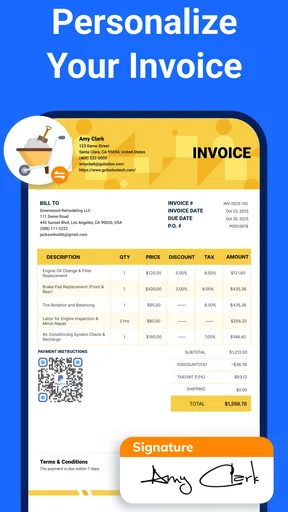

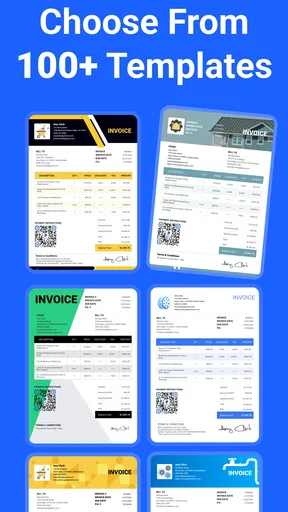
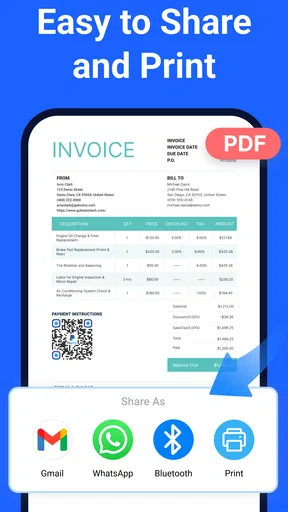
 Analysis by AppCompare
For a small business owner, sending an invoice is only one part of getting paid. The fiddly work is keeping the document presentable, recording whether money has arrived, and following up without turning every late payment into an uncomfortable conversation. I find that Invoice Maker - InvoiceBase is most useful when I treat those connected tasks as one workflow, rather than expecting an invoicing app to run the whole business.
Keeping invoice and payment tracking together
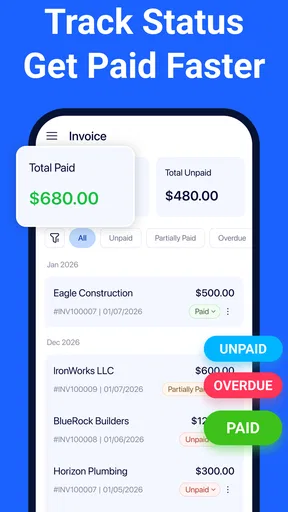
The practical appeal is that I can create an invoice and then use the app to keep an eye on its payment status. That link matters: if I make documents in one place and maintain a separate list of what clients owe, it is easy for the two records to drift apart. Having invoices and outstanding payments in the same app gives me a clearer place to check before I send a reminder or close out a job.
It is a focused business app from Gulooloo Tech Co., Ltd., and the main task is understandable even if you do not enjoy bookkeeping. The average rating is 4.9 from around 46,000 ratings, and it has over a million installs. Those figures suggest that many people have tried it, but I would still judge it by whether its workflow suits the way you bill: a high rating cannot make a simple invoicing tool a replacement for accounting software.
A workflow that works best when kept tidy
I would set up the business details carefully before making the first invoice. A consistent business name and contact information save repeated edits, and checking those details on the finished document is easier than correcting an invoice after it has gone to a client. If you use a logo or a template, I would also settle on a look early. Consistency makes invoices easier to recognize and helps avoid spending time redesigning each one.
For recurring work, the recurring-invoice option can reduce routine re-entry. I would still review each invoice before sending it, especially when a project’s scope or amount changes. Automation is helpful for repeating the predictable parts; it is not a reason to assume every billing period is identical. The same care applies to tax rates and currencies: those options can help with varied clients, but I would verify the applicable figures and currency on every relevant invoice instead of relying on a saved setup without checking.
One useful habit is to treat payment status as a small daily admin check. After a client pays, updating the invoice record keeps the outstanding list meaningful; before a reminder goes out, I would confirm the invoice is still unpaid and that the client has had a reasonable chance to process it. This is a simple safeguard against sending an awkward or unnecessary nudge. It also makes the app more valuable than a document template alone, because the record helps me decide what action to take next.
Where InvoiceBase fits into a small business
A realistic example is a freelance designer who finishes a client job, prepares an invoice between appointments, and later checks which bills remain open before planning the week. The app can help with the document and the follow-up step, without requiring the freelancer to return to a computer just to see what needs attention. That is the kind of everyday convenience I value: not a dramatic change to how a business works, but less friction around a task that otherwise gets postponed.
Worth Reading Before You Choose

EA SPORTS FC Mobile 26 Is a Bigger Football Game, but It Takes Time

Flipboard Shows What News Apps Must Do Beyond the Feed

Switching to Android Auto Means Rethinking Your Driving Routine

Google Calendar Makes a Crowded Week Easier to Manage

Ludo King Makes the Most of the Minutes Between Plans

Baby Panda World Brings Quick Play to Modern Phones, but Its Game Library Feels Busy
Choosing it over a spreadsheet or accounting suite
Compared with a basic spreadsheet, a dedicated invoice maker gives the billing task a more guided shape: business details, templates, invoice creation, and payment tracking live in an invoicing workflow rather than in cells you must design and maintain yourself. A spreadsheet may still be better if you need custom calculations, a particular reporting layout, or a shared process your team already understands. The trade-off is that you must keep its formulas and payment records accurate yourself.
At the other end, a full accounting platform is a better fit when invoices are only one piece of a larger job involving bookkeeping, tax reporting, expenses, or financial statements. InvoiceBase is easier to recommend to someone who mainly needs to bill clients and follow up on payments; I would not choose it as the sole system for a business that depends on comprehensive accounts or multi-person approval processes. The right comparison is not which tool has the longest feature list, but how much administration your actual work requires.
Small checks that prevent billing headaches
Before sending an invoice, I would check the client details, line items, total, currency, and tax treatment together. That quick pass is especially worthwhile when switching between local and international clients: support for multiple currencies and tax rates is convenient, but it does not decide which currency or tax rule applies to a particular job. Keeping a short personal checklist outside the app can help if your work has unusual billing conditions or client-specific requirements.
I would also avoid treating a reminder as a substitute for a clear payment agreement. The app can spare me from composing every follow-up from scratch, but the tone and timing still matter. For a long-standing client, a brief, friendly check-in may be enough; for a disputed invoice, I would review the work and the original agreement before sending anything. The tool can organize the record, while the business judgment remains mine.
Who is likely to get the most from it
I see InvoiceBase as a practical option for freelancers, sole operators, and small service businesses that issue straightforward invoices and want a convenient way to notice unpaid ones. It is particularly appealing if you work away from a desk and prefer to handle routine billing on a phone. Someone who sends only an occasional bill and already has a reliable template may not gain much, while a larger company with complex accounting needs should compare it with a broader finance system.
The app is free to download and is rated for Everyone. It was released on January 29, 2021, and the current version is 1.02.55.0207, with Android 5.0 as the minimum operating system. In-app purchases range from $2.99 to $119.99 per item, so I would check the available options in the app before building a long-term process around anything that may require a purchase. Those costs are worth weighing against the time you expect to save, rather than assuming every tool or option is included at no charge.
My main reservation is about scope, not the basic idea. Invoice creation and payment tracking can make everyday billing less scattered, but they do not remove the need to check numbers, apply the right tax treatment, or keep fuller business accounts elsewhere when your situation calls for them. I would also test the actual invoice workflow with a routine job before relying on it for every client, so you can see whether its templates and tracking suit your habits.
If what you need is a straightforward way to prepare invoices and keep unpaid work visible, I think InvoiceBase is worth considering. It is not the right answer for every business, and I would choose a more complete accounting option when reporting and bookkeeping are central. But for a solo professional who wants billing and follow-up in one place, it offers a sensible middle ground between a homemade spreadsheet and a much larger financial system.
Ever found yourself drowning in a sea of paperwork, struggling to keep track of invoices and payments? I’ve been there, and that’s why I was thrilled to discover Invoice Maker - InvoiceBase. This app promises to transform the way you handle your invoicing, making it as easy as pie. Let’s dive into my experience with this nifty little tool.
Getting Started with InvoiceBase
First things first, downloading Invoice Maker - InvoiceBase was a breeze. It’s available on both Android and iOS, so you can grab it straight from the Google Play Store or the App Store. Once installed, the app welcomes you with a clean, intuitive interface. Seriously, it’s like it knew I wasn’t in the mood for anything too complicated.
The setup process is straightforward. You’re prompted to enter your business details, like your company name and contact info. I appreciated how easy it was to customize the settings to match my specific needs. If you’re a freelancer or running a small business, this app adjusts seamlessly to fit your requirements.
Features That Make a Difference
Now, let’s talk features. The app allows you to create professional invoices in a matter of minutes. You can add your logo, choose from a variety of templates, and even set up recurring invoices. It’s like having a personal assistant who’s always on top of things.
One of my favorite features is the ability to track payments. It’s super convenient to see which invoices have been paid and which are still outstanding. Plus, you can send reminders directly from the app, sparing you those awkward conversations with forgetful clients.
Oh, and did I mention the app supports multiple currencies and tax rates? This is a game-changer if you’re dealing with international clients. No more headaches trying to convert everything manually!
User Experience: Smooth Sailing
Using InvoiceBase feels like a walk in the park. The app is designed with the user in mind, ensuring everything is easy to navigate. I found myself breezing through tasks that used to take hours. The app’s performance is top-notch, with no lag or crashes during my use.
The customer support is also worth mentioning. They offer prompt responses to any queries, which is a huge relief if you ever find yourself stuck.
Final Thoughts
After spending some quality time with InvoiceBase, I can honestly say it’s a must-have for anyone looking to simplify their invoicing process. It’s efficient, user-friendly, and packed with features that cater to a variety of needs.
If you’re tired of the usual invoicing headaches, give InvoiceBase a shot. It might just be the solution you’ve been searching for. With its ability to streamline tasks and keep everything organized, you’ll wonder how you ever managed without it.
So, what are you waiting for? Dive into a smoother invoicing experience and let InvoiceBase handle the rest. You can thank me later!
Pros
- User-friendly interface for quick invoicing.
- Customizable templates to suit business needs.
- Supports multiple currencies and languages.
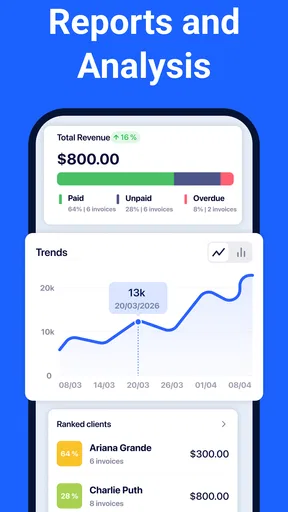
- Includes detailed reports and analytics.
- Cloud sync ensures data is always backed up.
Cons
- Limited free version features.
- No integration with third-party accounting tools.
- Occasional lag on older devices.
- Customer support is email only.
- No offline mode available.
FAQs for Invoice Maker - InvoiceBase
What features does Invoice Maker - InvoiceBase offer?
Invoice Maker - InvoiceBase provides a comprehensive suite of features designed for small businesses and freelancers. It allows users to create and customize professional invoices, track payments, and manage clients seamlessly. The app supports multiple currencies and tax rates, making it versatile for international business. Additionally, it integrates with various payment options to facilitate easy transactions.
Is Invoice Maker - InvoiceBase user-friendly for beginners?
Yes, Invoice Maker - InvoiceBase is designed with an intuitive interface that caters to both beginners and experienced users. The step-by-step guidance makes invoice creation straightforward, while the dashboard provides easy access to all necessary tools. Users can quickly generate invoices, manage expenses, and track payments without any technical expertise.
Can I use Invoice Maker - InvoiceBase offline?
Invoice Maker - InvoiceBase offers offline functionality, allowing users to create and edit invoices without an internet connection. This feature is particularly beneficial for users who frequently travel or work in areas with limited connectivity. Once online, the app syncs data automatically, ensuring that all information is up-to-date across devices.
What are the subscription options for Invoice Maker - InvoiceBase?
Invoice Maker - InvoiceBase offers a variety of subscription plans to suit different needs. Users can choose from monthly or annual subscriptions, with each plan providing access to premium features such as advanced reporting, additional templates, and priority customer support. A free trial is typically available for new users to explore the app’s capabilities before committing.
How secure is my data with Invoice Maker - InvoiceBase?
Invoice Maker - InvoiceBase prioritizes user data security by implementing robust encryption methods and secure cloud storage. Regular updates ensure that the app adheres to the latest industry standards for data protection. Users can be confident that their financial information and client data are safeguarded against unauthorized access.


